Unified Operations
Manage multiple businesses, outlets, products, and users from a single account.

GloryX centralizes merchants, users, permissions, and billing under one tenant. Built for growing companies.
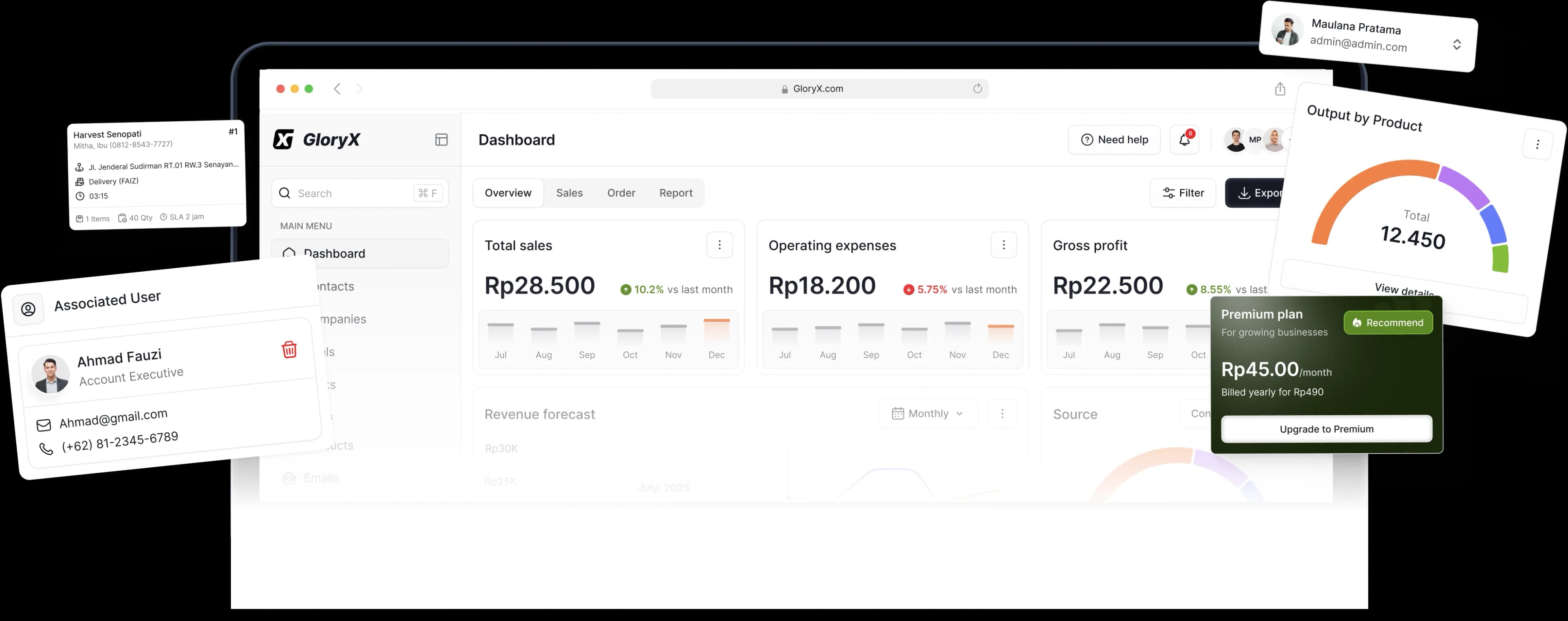
All-in-one platform
Everything you need to manage your merchants, users, permissions, and billing under one secure platform.
Manage multiple businesses, outlets, products, and users from a single account.
See sales, expenses, and performance data across all your businesses.
Control access for your team with flexible roles and permissions.
Multi-tenant setup
Create new businesses, set up outlets, and configure settings. Keep everything organized and accessible from one dashboard.
Businesses
Illustrative previewFinancial Overview
Illustrative previewCentralized financial reporting
View consolidated sales, expenses, and profit. Switch between individual businesses or see everything together.
Built for growing businesses
GloryX adapts to your business model, whether you run a single outlet or a multi-brand company.
Manage multiple retail outlets, products, and staff with ease.
Handle multiple restaurants or cafes under one platform.
Perfect for clinics, salons, gyms, or service-based businesses.
Getting started
Set up your tenant
Establish your company profile and account structure.
Add your businesses
Register each business and configure its operational setup.
Invite your team
Assign roles and permissions, then start operating.
Ready to scale your business?
Start managing all your businesses with GloryX today.
Set up your tenant, add your businesses, and invite your team.